

Gives you the power to manage Zoom Meetings, Webinars, Recordings, Reports and create users directly from your WordPress dashboard.
| Author: | Deepen Bajracharya (profile at wordpress.org) |
| WordPress version required: | 5.5.0 |
| WordPress version tested: | 6.4.4 |
| Plugin version: | 4.4.6 |
| Added to WordPress repository: | 09-03-2016 |
| Last updated: | 20-03-2024 |
| Rating, %: | 96 |
| Rated by: | 209 |
| Plugin URI: | https://wordpress.org/plugins/video-conferenc... |
| Total downloads: | 1 276 331 |
| Active installs: | 20 000+ |
 Click to start download |
|
Video conferencing with Zoom plugin gives you the extensive functionality to manage your Zoom Meetings, Webinars, Recordings, Users, Reports from your WordPress Dashboard directly. The plugin is a great tool for managing your Zoom sessions on the fly without needing to go back and forth on multiple platforms. This plugin is developed in order to make smooth transitions in managing your online meetings or webinars without any hassle and time loss.
View the plugin live demo from here.
FEATURES:
- Manage your Zoom Meetings and Zoom Webinars.
- Manage Zoom users and Reports.
- Change frontend layouts as per your needs using template override.
- Join via browser directly without Zoom App.
- Show User recordings based on Zoom Account.
- Extensive Developer Friendly
- Shortcodes
- Import your Zoom Meetings into your WordPress Dashboard in one click.
- Gutenberg Blocks Support
- Elementor Support
ADDON FEATURES
- Recurring meetings and Webinars (PRO)
- Enable registrations (PRO)
- Webhooks (PRO)
- Use PMI (PRO)
- WCFM Integration ( See EXTENDING AND MAKING MEETINGS PURCHASABLE section )
- WooCommerce Integration ( See EXTENDING AND MAKING MEETINGS PURCHASABLE section )
- WooCommerce Appointments Integration ( See EXTENDING AND MAKING MEETINGS PURCHASABLE section )
- WooCommerce Bookings Integration ( See EXTENDING AND MAKING MEETINGS PURCHASABLE section )
and more…
DOCUMENTATION LINKS:
EXTENDING AND MAKING MEETINGS PURCHASABLE:
Addon: Video Conferencing with Zoom Pro:
Addon: WooCommerce Integration:
Addon: WCFM Integration:
Addon: WooCommerce Booking Integration:
Addon: Booked Appointments Integration:
Addon: WooCommerce Appointments Integration:
You can find more information on the Pro version on website: codemanas.com
OVERRIDDING TEMPLATES:
If you use Zoom Meetings > Add new section i.e Post Type meetings then you might need to override the template. Currently this plugin supports default templates.
REFER FAQ to override page templates!
COMPATIBILITY:
- Enables direct integration of Zoom into WordPress.
- Compatible with LearnPress, LearnDash 3.
- Enables most of the settings from zoom via admin panel.
- Provides Shortcode to conduct the meeting via any WordPress page/post or custom post type pages
- Separate Admin area to manage all meetings.
- Can add meeting links via shortcode to your WooCommerce product pages as well.
- Gutenberg
- Elementor
- Beaver Builder
CONTRIBUTING
There’s a GIT repository if you want to contribute a patch. Please check issues. Pull requests are welcomed and your contributions will be appreciated.
Please consider giving a 5 star thumbs up if you found this useful.
Lastly, Thank you all to those contributors who have contributed for this plugin in one or the other way. Taking from language translations to minor or major suggestions. We appreciate your input in every way !!
QUICK DEMO:
Screenshots

Join via browser
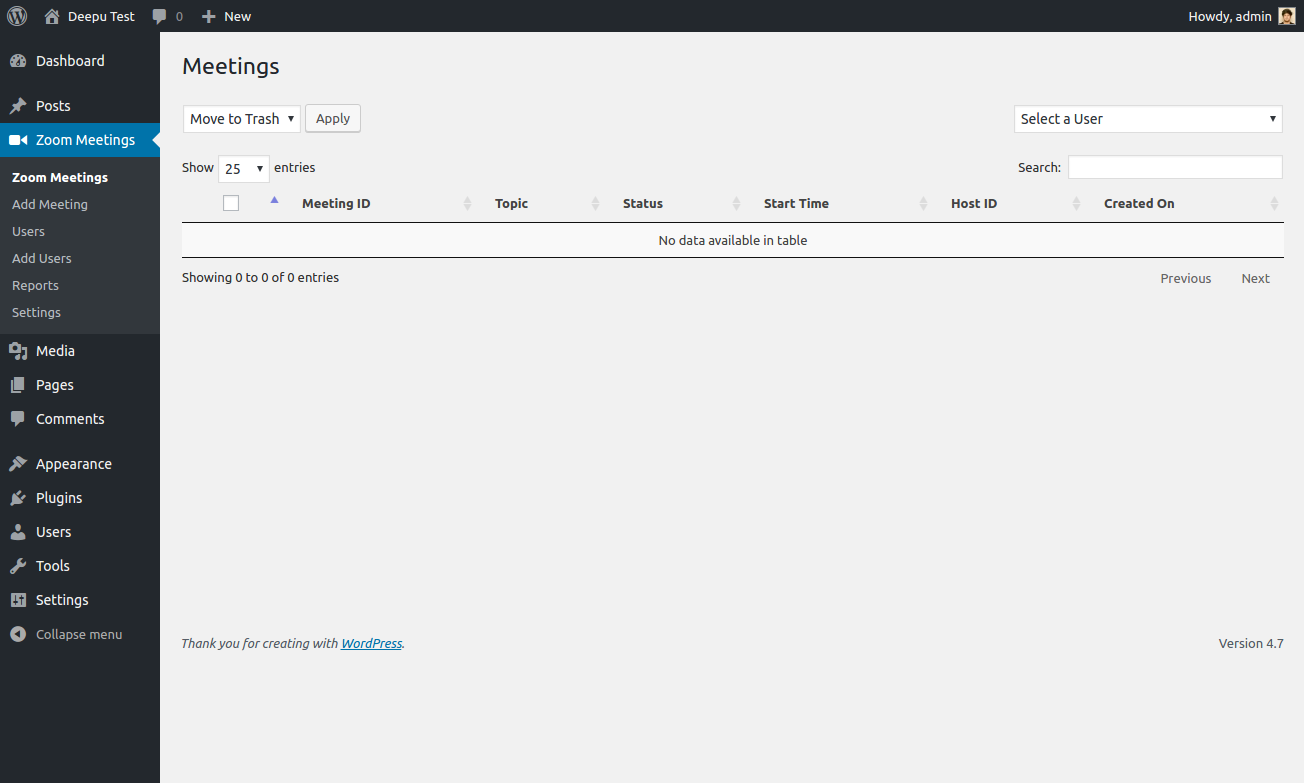
Meetings Listings. Select a User in order to list meetings for that user.

Add a Meeting.

Frontend Display Page.

Users List Screen. Flush cache to clear the cache of users.

Reports Section.

Settings Page.

Backend Meeting Create via CPT

Shortcode Output
As of June 2023, Zoom will deprecate JWT App type – the plugin has moved to Server-to-Server OAuth App and SDK App type for Join via Browser / Web SDK support. If you face any Zoom connection issues then this might be the issue. Refer to this Documentation on how to migrate your old JWT method.
Please check if you SDK app type is activated and re-check all the app credentials are valid.
Please check how you can do the Migration from JWT
The plugin settings allow you to add and manage users. But, you should remember that you can add users in accordance with the Zoom Plans, so they will be active for the chosen plan. More information about Zoom pricing plans you can find here: https://zoom.us/pricing
This issue is because of HTTPS protocol. You need to use HTTPS to be able to allow browser to send audio and video.
If you face blank page in this situation you should refer to Template Overriding and see Template override section.
This happens because of the single meeting page template from the plugin not being supported by your theme and i cannot make my plugin support for every theme page template because of which you’ll need to override the plugin template from my plugin to your theme’s standard. ( Basically, like how WooCommerce does!! )
If countdown is not working for you then the first thing you’ll nweed to verify is whether your meeting got created successfully or not. You can do so by going to wp-admin > Zoom Meetings > Select your created meeting and on top right check if there are “Start Meeting”, “join Meeting links”. If there are those links then, you are good on meeting.
However, even though meeting is created and you are not seeing countdown timer then, you might want to check your browser console and see if there is any “guess is undefined” error. If so, there might be a plugin conflict using the same moment.js library. Report to me in this case
Please check this thread: https://wordpress.org/support/topic/conflict-with-forminator-2/
- By using shortcode like [zoom_api_link meeting_id=”123456789″] you can show the link of your meeting in front.
- Goto wp-content/plugins/video-conferencing-with-zoom-api/templates
- Goto your active theme folder to create new folder. Create a folder such as yourtheme/video-conferencing-zoom/{template-file.php}
- Replace template-file.php with the file you need to override.
- Overriding shortcode template is also the same process inside folder templates/shortcode
Yes, you should be registered in Zoom. Also, depending on the zoom account plan you are using – Number of hosts/users will vary.
4.4.6 March 20, 2024
- Security Update: Fixed a issue related to ajax.
4.4.5 March 11th, 2024
- Security Update: Escaping for https://zoomdocs.codemanas.com/shortcode/#10-show-recordings-based-on-meeting-id (Cross-Site Scripting via Shortcode)
- Security Fix: Open Redirection when joining meeting with Join via Browser.
4.4.4 February 6th, 2024
- Re-Added back download button for recordings shortcode.
4.4.3 February 5th, 2024
- Fixed: Recordings fetching method changed based recurring meeting or Normal meeting. Should past meetings now be visible.
4.4.2 January 26th, 2024
- Minor Warning issue fix.
4.4.1 January 24th, 2024
- Fixed: Gallery View should now be supported for IFrame join via browser shortcode.
4.4.0 January 16th, 2024
- Recordings hidable and bug fixes.
- Updated: Fetch Meeting ID recordings asynchronously.
- Updated websdk to version 2.18.2
- Bump WP scripts version
- Bug Fixes
4.3.3 October 31st, 2023
- Fixed: Conflict with Meow Gallery
- Updated: Vendor Library
4.3.2 September 25th 22nd, 2023
- Fixed: Debugger log not working.
- Added: WebSDK validator.
- Updated: Websdk to version 2.16.0
4.3.1 August 18th, 2023
- Fixed: Timezone issue not showing correctly in backend.
4.3.0 July 18th, 2023
- Deprecated: vczapi_encrypt_decrypt() to generate dynamic key when generating value.
- Added: New Encrypt Decrypt methods
- Added: Helper functions
- Updated: WebSDK to version 2.13.0
- Few updates to Codebase into PSR-4
4.2.1 June 19th, 2023
- Updated: Admin SDK text changed to Client ID and Client Secret.
- Fixed: Timezone Fix
- Fixed: Spectra plugin blocks template compatibility issue.
- Added: Join from browser directly without name, email field.
4.2.0 May 25th, 2023
- Added: FSE Support
- Added: End meeting from backend using Zoom status api.
- Updated: Elementor Modules for shortcode changes related with [zoom_meeting_post]
- Fixed: Search in host to WP page.
- Fixed: FSE theme join via browser page not working.
- Updated: WebSDK to version 2.12.2
- Fixed: Responsive fixed for shortcode table views.
- Bug fixes
4.1.11 May 3rd, 2023
- Added: Capaibility to only show meeting counter when using [zoom_meeting_post] – See [Documentation https://zoomdocs.codemanas.com/shortcode/#2-show-a-meeting-post-with-countdown].
- Updated: Embed Post by ID block.
4.1.10 Arpil 10th, 2023
- Fixed: Join via Browser password field fix.
4.1.9 Arpil 6th, 2023
- Updated: WebSDK to version 2.11.0
- Updated: Websdk Compile method.
- Updated: Join via web browser design changes.
4.1.8 Arpil 3rd, 2023
- Added capability to view recordings by roles who have edit_posts capbilities.
- Fixed: Duration of meeting not showing correctly when in hours and minutes.
4.1.7 March 13th, 2023
- Fix: Admin CSS not working in some pages.
4.1.6 March 9th, 2023
- Updated: Translations
- Fixed: Embed post block not working correctly in block based themes.
- Fixed: Minutes and Hours translations not working correctly.
- Updated: Zoom WebSDK to version 2.10.1
4.1.5 March 3rd, 2023
- Fixed: Gutenberg blocks on embed posts.
4.1.4 February 28th, 2023
- Fix: Template issue for meeting by post id shortcode.
4.1.3 February 27th, 2023
- Updated SDK key and SDK secret text on connect tab to sync with Zoom new changes.
- Bug fix that showed PHP 7.4 above constraint warnings.
- Bug fix that relates to JWT firebase library update.
4.1.2 February 22nd, 2023
- Updated: plugin now requires PHP version 7.4
4.1.1 February 21st, 2023
- Removed sorting by meeting ID fields
- Fixed: JWT signature not generating because of firebase library update.
4.1.0 February 21st, 2023
- Updated: WebSDK to version 2.9.7
- Fixed: removed wc_date_format() function from core.
- Fixed: Undefined property: stdClass::$start_time in shortcode embed.
- Added: Ability to join meetings with registrations enabled for PRO version.
- Fixed: A bug where WP_Error was giving a fatal error in rare case.
- Developer: Script bundler changed to webpack.
- Huge bug fixes and code refactoring.
4.0.11 December 30th, 2022
- Fixed: Join via browser showing invalid parameters when email field was disabled.
- Added: Checker if the meeting is webinar then email field will show up regardless of the setting because email field is required to join a webinar.
4.0.10 December 19th, 2022
- Fixed: Validate and Escaping on a shortcode reported by WPScan.
4.0.9 December 16th, 2022
- Added: Disable momentJS conflict script incase of countdown failure.
- Fixed: If meeting is expired, ajax fails and shows nothing.
- Added: If SDK keys are not added then join via browser options won’t show.
- Updated: SDK script updated to latest standards
4.0.8 December 1st, 2022
- Fixed: Host to WP User linking.
- Updated: WebSDK to version 2.9.5
- Added: Email Validation to join via browser window.
- Bug Fixes.
4.0.7 November 11th, 2022
- Fixed: Import get meetings functions to fetch draft posts.
- Fixed: Show all zoom users on Host to WP page.
- Fixed: Elementor widget showing minus values.
- Fixed: Elementor widget meeting by host was not working when switching between webinar and meeting view.
- Updated: WebSDK to version 2.9.0
4.0.6 September 13th, 2022
- Updated: Minimum PHP version to 7.3
4.0.5 August 17th, 2022
- Fix – Minor – Meeting Host should not be editable even if post visibility is set to Private
4.0.4 August 11th, 2022
- Fixed: Import meetings not working for version 4.0 or greater.
4.0.3 August 10th, 2022
- Added: Redirection parameter for join via browser.
4.0.2 August 5th, 2022
- Fixed: wp_reset_postdata() was not called after looping in shortcode show_meeting_by_postTypeID
- Fixed: Join via web browser theme router template not being called correctly for pages that uses builders or editor.
- Updated: WebSDK to version 2.6.0
4.0.1 July 21st, 2022
- Fixed: PHP 7.4 below – class strict type declaration removed for backwards compatiblity.
4.0.0 July 21st, 2022
- Major Update: Server-to-Server OAuth App and SDK App to replace JWT App as JWT is being deprecated see JWT App Type Deprecation FAQ, users can see new configuration steps in the documentation
- Updated: WebSDK to version 2.5.0
3.9.7 July 13th, 2022
- Fixed: Issue showing “meeting no longer valid” when using no fixed time for meetings and webinars.
3.9.6 July 11th, 2022
- Fixed: Issue with recordings for multiple same meetings showing only latest recording
3.9.4 – 3.9.5 June 28th, 2022
- Fixed: More robust information for error logs.
- Updated: Live webinars and Meeting on by default.
- Updated: WebSDK to version 2.4.5
3.9.3 May 31st, 2022
- Updated: Compatible with WordPress version 6.0
- Fixed: Escaped all add_query_arg() function.
- Removed: Live Meetings section for removing confusions.
- Added: Recording chat filter “vczapi_show_recording_chat_file”.
3.9.2 May 3rd, 2022
- Fixed: Webinar view not working when using embed shortcode.
- Added: Turkish translation provided by Ahmet Emre Demirci.
- Updated: webSDK to version 2.4.0 – [Changelog https://github.com/zoom/websdk/blob/master/CHANGELOG.md]
3.9.1 April 10th, 2022
- Added: Template for displaying meeting by Post ID with coutdown timer.
- Fixed: Embed join by browser shortcode fix iframe element view when countdown timer is enabled.
- Updated: Changed default duration of the meeting to 40 minutes. Syncing with Zoom options.
3.9.0 April 7th, 2022
- Added: Filter to allow hierarchical pages.
- Updated: WebSDK to version 2.3.5
- Updated: Join via browser shortcode changed for making compatible with issues like lags and gallery view. ( Crucial update )
- Updated: Elementor “elementor/widgets/register” register hook changed to remove deprecation notice and updated necessary elementor codebase.
3.8.19 March 13th, 2022
- Updated: WebSDK to version 2.3.0
- Updated: Main language file.
3.8.18 February 7th, 2022
- Added: Debugging Logger on backend for more robust debugging process.
- Added: Compability for deleting old past meetings.
- Modified: API connection modified /w backwards compatibility.
3.8.17 February 2nd, 2022
- Updated: webSDK to version 2.2.0
- Fix: Deprecated warning for block editor.
- Added: Translations for japanese and persian from WordPress translations.
- Fix: Ajax authorization permission issue – suggested by WPScan
- Bug fixes.
3.8.16 November 29th, 2021
- Fixed: Fix issue for pagination with Direct Meeting Embed
- Updated: WebSDK to version 2.0.1
- Fixed: Security issues related to escaping attributes suggested by WPScan.
3.8.15 October 22nd, 2021
- Fixed: Security issues suggested by wpscan.
- Added: Dynamic templating for shortcode “zoom_list_host_meetings” and “zoom_list_host_webinars”
- Updated: Websdk to version 2.0.0
3.8.14 October 1st, 2021
- Changed: Generate token UTC timestamp method.
- Added: Ability to show meetings/webinars based on user email or host ID which cannot be found through pagination when used gutenberg blocks.
- Updated: WebSDK to version 1.9.9
3.8.13 September 2nd, 2021
- Changed: WebSDK version updated to 1.9.8.
3.8.12 August 20th, 2021
- Fixed: Join via browser not working when used PMI for meetings/webinars.
- Fixed: Meeting/Webinar description unescaped string being passed.
- Fixed: Browser header issue fixed “Cross-Origin-Embedder-Policy”, “Cross-Origin-Opener-Policy” related to webSDK resulting in not showing gallery view and video for user joining through join via web.
3.8.11 August 11th, 2021
- Fixed: Ajax pagination for webinars not working correctly.
3.8.10 August 10th, 2021
- Added: Made Datatable translatable.
- Minor bug fixes.
3.8.9 August 1st, 2021
- Minor Bug Fixes
3.8.8 July 23rd, 2021
- Added: Show recording password, can be enabled with filter “vczapi_recordings_show_password”
- Updated: WebSDK to version 1.9.7
- Added: “cache” paramter to [zoom_recordings_by_meeting] shortcode.
3.8.7 July 19th, 2021
- Changed: Ajax pagination filter changed for zoom-meetings list page.
- Fixed: Registrations not working when [zoom_meeting_post] shortcode is used.
3.8.6 July 16th, 2021
- Fixed: Join via browser block fix for webinar.
3.8.5 July 8th, 2021
- Added: Ajax pagination for shortcode meeting/webinar list page (https://zoomdocs.codemanas.com/shortcode/#3-list-upcoming-or-past-meetings).
3.8.4 July 1st, 2021
- Changed: Inceased default duration from 40 to 45 as per zoom change.
3.8.3 June 10th, 2021
- Fixed: PRO version register now link not working due to priority check incorrectly.
- Fixed: Importing meetings not working sometimes due to incorrect meeting ID check.
- Added: Option to stop meeting deletion on zoom side when you delete it from your website.
- Updated: WebSDK to version 1.9.6
3.8.2 May 18th, 2021
- Updated: WebSDK version to 1.9.5
- Fixed: Gutenberg plugin compatibility.
- Fixed: https://wordpress.org/support/topic/gutenberg-blocks-support/ issue
3.8.1 April 27th, 2021
- Fixed: If meeting does not have password, password field will be hidden when join via browser.
- Fixed: atob error when meeeting password embed is disabled.
3.8.0 April 8th, 2021
- Added: Gutenberg Blocks support.
- Added: Option to choose host ID manually when creating meeting incase there are more than 300 users in a zoom account.
3.7.4 March 30th, 2021
- Added: Setting to disable auto password generation when creating a meeting from wp-admin.
3.7.3 March 25th, 2021
- Added: Capability to show multiple recording shortcode in single page. Same for Webinar list shortcode.
3.7.2 March 18th, 2021
- Fixed: Archive page not showing webinar dates correctly.
3.7.1 March 12th, 2021
- Added: Option to enable disable waiting room.
- Added: Encoded password and meeting ID when join via browser.
- Updated: Allowed template functions to be overridden from theme.
3.7.0 March 10th, 2021
- Fixed: Validation for Agenda.
- Added: Shortcode for displaying post type counter post. [zoom_meeting_post post_id=”YOUR_POST_ID”]
- Updated: Zoom WebSDK to version 1.9.1 (https://github.com/zoom/websdk/blob/master/CHANGELOG.md)
3.6.33 March 4th, 2021
- Changed: CSS class re-added for backwards compatibility.
3.6.32 March 3rd, 2021
- Added: Plugin settings menu
- Added: ‘vczapi_admin_meeting_fields’ filter hook to filter results when create/update post type.
- Added: Filter upcoming or past meetings in wp-admin
3.6.31 March 1st, 2021
- Added: ‘vczapi_join_via_browser_after_script_load’ action hook for additional scripts to be added in join via browser page.
- Added: Column parameter for [zoom_list_meetings] and [zoom_list_webinars] shortcodes.
- Changed: CSS Grid layout for Meeting list page and shortcode listing pages.
3.6.30 February 24th, 2021
- Added: Dutch translation file added – Thanks to “Gijsbert van Luinen” for providing the translation files.
- Fixed: Width for join via browser fields when browser info is removed.
- Added: Show meetings after the event date has passed for about 30 minutes more. This can be done by adding “show_on_past” in [zoom_list_meetings] or [zoom_list_webinars] – By default this is set to true.
- Added: Theme style enqueued in join via browser pages for additional css changes.
3.6.29 February 15th, 2021
- Fixed: Recordings list shortcode pulled via UUID for recurring meeting fix.
3.6.28 February 12th, 2021
- Fixed: View recordings button not working when recordings exceed 10 entries.
- Added: Recordings list view sorting removed for action and duration
3.6.27 February 9th, 2021
- Fixed: Showing hour and minutes in frontend meeting details page.
- Updated: Translations – Thanks to the WordPress translation team !!
- Fixed: Show shortcode on backend based on type – Meeting or Webinar
3.6.26 February 2nd, 2021
- Updated: WebSDK library to 1.9.0 which supports gallery view
- Updated: Join via browser ( If logged-in user, automatically fills out email and name )
3.6.25 January 29th, 2021
- Fixed: Post Author Name not showing in single meeting page.
3.6.24 January 29th, 2021
- Added filter hook to show or enable different views in join via browser window. See https://zoomdocs.codemanas.com/filters_hooks/#join-via-browser-show-fields
3.6.23 January 28th, 2021
- Updated: Duration selector when creating meeting.
- Added: Invite button remove from join via browser through settings page.
3.6.22 January 13th, 2021
- Fixed: Helper function to get time according to DST.
- Fixed: Single meeting page timezone showing in backend timezone instead of local timezone.
3.6.21 January 12th, 2021
- Added: Default language selector option for join via browser page.
- Updated: WebSDK to version 1.8.6
3.6.20 December 29th, 2020
- Added: Viewing recordings in modal view.
- Added: Recordings search via date.
3.6.19 December 23rd, 2020
- Updated: WebSDK to verion 1.8.5
- Changed: Join via browser output format changed.
- Fixed: Date Format display issue.
3.6.18
- Fixed: jQuery on load event not triggered in mozilla firefox resulting in join display links errors.
3.6.17
- Updated: Translations from WordPress language directly. Thanks to WordPress language community.
- Updated: Show default host if selected user has explictly assigned host id in user meta.
3.6.16
- Added: Enable/Disable gutenberg support when editing a meeting post type.
3.6.15
- Addded: Action hook before single page render.
3.6.14 December 1st, 2020
- Fixed: Issue with join via browser showing signature invalid.
3.6.13 November 26th, 2020
- Fixed: Elementor Widget passcode escaping resulted in incorrect password output.
- Added: Hooks, for PRO version to add – ical functionality in PRO version in meeting individual pages.
- Fixed: FATAL error on include_template function being called when filename was not parsed in for join-links template.
3.6.12 November 25th, 2020
- Modified: Changed API calls for custom implementation methods.
- Added: Recurring meeting sync support for PRO version.
- Updated: WebSDK version 1.8.3
3.6.11 November 10th, 2020
- Added: For Devs, Filter for meetings for Join via Shortcode
3.6.9/3.6.10 November 9th, 2020
- Added: User cache delete on activation and deactivation
- Fixed: [zoom_recordings_by_meeting] shortcode did not fetch all past recordings previously. This version fixes that.
- Updated: Zoom WebSDk to version 1.8.1
3.6.8 October 30th, 2020
- Fixed: Join via web browser not working when Elementor Page Builder or most of the page builder is used to override Zoom Meetings archive page.
3.6.7 October 28th, 2020
- Added: Custom date type added in settings.
3.6.6 October 23rd, 2020
- Added: Global option to disable join via browser.
3.6.5 October 13th, 2020
- Changed: Assign Zoom Users to WordPress users to be more flexible with PRO version.
- Fixed: Zoom WebSDK when joining in IFRAME redirection in the same iframe window. Fixed it to redirect back to main screen without users noticing the iframe.
- Added: Pending Users view page.
- Changed: Cache Helper functions updated.
- Fixed: Rank Math SEO tab not working in Elementor because of script loading error from the plugin.
- Minor bug fixes.
3.6.4 October 7th, 2020
- Removed: Enforce login field from “Live Meetings” because Zoom API has removed this field.
- Added: Support for Personal Meeting ID in shortcode [zoom_api_link]
3.6.3 October 2nd, 2020
- Added: Arguement “passcode” to [zoom_join_via_browser] browser shortcode. If passed “passcode” then join via browser will not require password to join the meeting.
- Added: Webinar capability for join via browser shortcode.
- Bug Fixes
3.6.2 September 17th, 2020
- Updated: Zoom WebSDK to version 1.8.0
- Added: CDN loading support for zoom webSDK static resources. Add “VCZAPI_STATIC_CDN” to true in config file for this.
- Added: Zoom API notice error if connection is not established with API in wp-admin.
- Added: Ability to display same “zoom_list_meetings” shortcode twice in same page.
3.6.1 August 17th, 2020
- Fixed: Deprecated warning issue on PHP 7.4 using {} syntax reported by @antonyjosephsmith
- Fixed: Sync Date not syncing properly when editing synced meeting.
- Fixed: Deprecated ternary operator multiple usage in same check function.
- Fixed: Join via browser – Error joining if email field is disabled.
- Updated: Join via browser page – CSS identifiers changed.
3.6.0 August 11th, 2020
- Added: Webinar post type module.
- Added: Meetings importer.
- Updated: Translations
- Added: Support for recurring meetings based on PRO version.
- Added: Email field when joining via browser.
- Fixed: Webinar bulk delete.
- Fix: Major bug fixes and code refactor.
- Updated: Transitioning to PSR-4 Standard
3.5.2 July 27th, 2020
- Added: [zoom_recordings_by_meeting meeting_id=”MEETING_ID” downloadable=”yes”] which shows recordings based on meeting ID.
- Added: Elementor Widgets for new shortcodes.
- Fixed: Time shown in fronted with shortcode and singe meetings pages changed.
- Updated: Old global variable pull removed. New variable assigned for more performance loading and accurate meeting details and timings.
3.5.1 July 23rd, 2020
- Fixed: Time Locale Fixed.
- Added: Support for Recurring meetings via Pro Version.
- Fixed: Shortcode [zoom_list_meetings] for upcoming meetings. Added new meta field for showing exact meetings based on local timezones. Users will need to re-update the old meetings.
- Added: Hook vczapi_join_via_browser_footer in join via browser page to enable users to enqueue personal scripts or code in the join via browser footer page.
- Added: Shortcode parameter “downloadable” which disables users from downloading the recordings. Set to “false” by default (https://wordpress.org/support/topic/recordings-api-ignores-download-settings/).
- Added: Datatable Responsive added (https://wordpress.org/support/topic/responsive-datatables-js/)
- Changed: Table design fixes
- Fixed: Minor bug fixes.
3.5.0 July 10th, 2020
- Added: Recordings API
- Added: Recordings shortcode to show recordings by host.
- Fixed: Embed Join via Web Browser re-captcha popup fail issue.
3.4.2 July 9th, 2020
- Updated: WebSDK to version 1.7.10 ( webSDK changes https://timeline.noticeable.io/8XMdMkIr8cTlKfj8DTtx/posts/web-sdk-version-1-7-9-updates?cache=false & https://timeline.noticeable.io/8XMdMkIr8cTlKfj8DTtx/posts/web-sdk-updates-version-1-7-10 )
- Added: Filter Hook to remove language field at the time of joining meeting via web “vczapi_api_bypass_lang”
- Added: Filter Hook to remove browser info field at the time of joining meeting via web “vczapi_api_bypass_lang”
- Changed: Template file “join-web-browser.php” minor changes i.e added filter hooks.
- Updated: Zoom WebSDK css libraries.
- Changed: Shortcode “zoom_list_host_webinars” and “zoom_list_host_meetings” meeting cache value to 5 minutes.
3.4.0/3.4.1 June 4th, 2020
- Added: Webinar Support Added with Shortcode for showing webinars.
- Added: Elementor Widgets for Listing Meetings and Meeting Display Output.
- Added: Webinar Shortcodes
- Added : Join Via Browser supported by WebSDK
- Updated: WebSDK to version 1.7.8
- Minor Bug Fixes
- Updated Translations
- Added: Chinese(Taiwan) Translation. Thanks to the WordPress translation community !
3.3.13 May 23rd, 2020
- Bug Fixed: All join links were being hidden when setting was not checked in Zoom Meeting > Seetings page “Hide Join Links for Non-Loggedin ?”.
3.3.12 May 22nd, 2020
- Updated: [zoom_list_meetings] – Upcoming meetings are shown based on WordPress timezone settings.
- Added: Hide join links for non-loggedin users for shortcode.
- Updated: Checking “Requires Login?” from Zoom Meetings > Add New page will not hide join links to non-logged in users.
- Added: Meeting Password field for Join via Browser
3.3.11 May 11th, 2020
- Fixed: Shortcode category listing
- Updated: Meeting Password Links fixed according to new Zoom Meeting password change policy.
3.3.10 May 6th, 2020
- Added: Shortcode [zoom_list_host_meetings host=”your_host_id”] for showing list of meetings based on HOST ID.
- Added: Date Localization based on WordPress Locale.
- Updated: Zoom WebSDK to version 1.7.7
3.3.9 May 1st, 2020
- Added: Spanish Translation. Thanks to @clickening
- Added: Russian Translation. Thanks to the Translation team.
3.3.8 April 23rd, 2020
- Fixed: Normal shortcode meeting start time not showing due to recurring check script.
3.3.7 April 22nd, 2020
- Fixed: Shortcode Join Links
- Updated: Zoom WEBSDK to version 1.7.6
3.3.6 April 20th, 2020
- Fixed: Archive page not loading when no meetings existed.
3.3.5 April 20th, 2020
- Fixed: add_query_args when joining via browser occured a blank page or 404 page in some cases.
- Removed: Host selection when editing the meeting after created
- Fixed: Minor bug Fixes
3.3.4 April 15th, 2020
- Fixed: Category for Shortcode
- Slovak Translation Updated: Thanks to Branislav Ďorď
- Added: Meeting Type for [zoom_list_meetings type=”upcoming”] shortcode.
3.3.3 April 10th, 2020
- Fix: Static resources JS and CSS file version number changes according to update. Reported by bencoates
3.3.2 April 10th, 2020
- Updated: WEBSDK to version 1.7.5
- Bug Fix: Error Messages Check
- Added: WebSDK (Join via browser) link in Shortcode as well [zoom_list_meetings].
3.3.1 April 7th, 2020
- Updated: WebSDK updated 1.7.3
- Fixed: Shortcode bug not outputting multiple shortcodes when called.
3.3.0 April 6th, 2020
- German Translation Added: Thanks to Peter Ginser @ginspet
- Slovak Translation Added: Thanks to Branislav Ďorď
- Fixed: New shortcode to embed that allows you to directly or start join via page or post. See shortcode section in details page for details.
- Added: Start or End meeting manually which allows users to end meeting ahead of time and disallowing anyone to join it.
- Added: New hooks for recurring meetings support
- Added: Filters for WC Product Vendors Support
- Fixed: Countdown timer adjusted.
- Added: Meeting start, end text can be now customized from settings page.
- Added: Allow original zoom author name to be shown in frontend single pages.
- Added: Filter added which allows you to modify the post DATA you sent at time of creating meeting as well as updating !
- Fixed: Responsive issue when join via browser ( link somewhere in the support which i lost it ).
- Added: Meeting states to be manually changed from users perspective (https://wordpress.org/support/topic/feature-request-more-details-on-meeting-states/)
- Added: Password field in post type pages.
- Added: Debug Mode button on posts page for Zoom Meetings
- Alot of Bug fixes
3.2.31 – March 29th, 2020
- Added: Filter hook: vczapi_timezone_list => for timezone list.
- Added: Meeting link encryption changed.
- Added: Disable review nag notices
- Added: French Translation thanks to Julien Laumond
- Added: Meeting start/ended text filters => vczapi_meeting_event_text
3.2.2 – Mar 27th, 2020
- Added: New shortcode for displaying list of meetings in frontend via category.
- Added: Join link button classes
3.2.1 – Mar 23, 2020
- Fixed: vczapi_get_template_part trailingslashhit fix reported by @https://wordpress.org/support/users/amba_13/
- Added: Users table pagination for WP-Admin section
- Fixed: Re-Added users section with bug fixed
- Added: Time format display changed to ‘LLLL’ /w Day also on single meetings page.
- Added: Category for Zoom Meetings added
3.2.0 – Mar 17, 2020
Added: Join directly via browser without needing to goto Zoom Website.
Added: Join links show/hide option in backend.
Fixed: Minor bugs and fixes
3.1.7 – Mar 11, 2020
Added: Shortcode copy button in each meeting page in wp-admin.
3.1.5 – Feb 27, 2020
Added: Adjustments on settings pages.
3.1.3 – 3.1.4 – Feb 25, 2020
Added: Start time to show according to local time.
Fixed: Minor bug fixes ( No effect elsewhere ).
3.1.2 – Feb 22, 2020
Fixed: Frontend coutdown timer fixed according to client local timezone.
Fixed: Join Links show on frontend according to time.
Fixed: Some minor bug fixes.
Added: Ajax link fetch in regards to client local time and show join links accordingly.
Added: Join Link timezone with Local Time ( For shortcode and individual meeting pages )
Added: Meetings links will now only show in Local Timezone ( For shortcode and individual meeting pages )
Added: Meetings links will be valid till 1 hour – Before and after the meeting time. ( For shortcode and individual meeting pages )
Added: Localized string values.
Added: Shortcode join link template override.
Bug Fix: Meeting links dissapearing. ( For shortcode and individual meeting pages )
3.1.1
Fixes: Minor fixes in Reports and enqueue script section.
Added: Addons page.
3.1.0
Added: Show past join link meetings on frontend links.
3.0.6
Fixed: Multiple link only shortcode in single page output fixed.
3.0.5
Fixed: Countdown timer. Countdown fixed on more than a month of countdown.
3.0.4
- Added: Single link output shortcode parameter added
3.0.3
Fixed: Timer countdown now supports safari
Updated: Timer Countdown library
Fixed: Timer will now show “meeting starting” text after countdown is completed.
Updated: Corrected Localization strings
3.0.0 – 3.0.2
Support: Divi template support for frontend
Fixed: Auto rewrite url flush
3.0.0 – 3.0.1
Added: Custom post type meetings for seperate post meetings.
Added: Page template overrides.
Added: Frontend meeting join links, start links for authors.
Fixed: Timezone Values
Changed: Optimized overall codebase.
Removed: Seperate vanity shortcode removed.
Fixed: Bug Fixes on creating meetings, Warnings and Notice errors.
2.2.3
Fixed: API access token time increased by 1 hour
2.2.3
Added: Validation issue fixed
Fixed: Added vanity URL functionality in settings
Fixed: Minor users API bug fixes
2.2.2
Added: UI changes
Fixed: Validation Issues fixed
Fixed: Minor bug fixes
2.2.1
Fixed: CURL Request fail fixed
2.2.0
- Removed: API version 1 support. Added to deprecated library.
- Added: New options when adding meetings
- Added: Classic editor meeting link add icon
- Fix: Changed API call implementation to fit WordPress standards
- Fix: Major bug fixes
2.1.3
- Minor Changes
2.1.2
- Minor Changes
- Timezone Settings Changes
2.1.1
- Minor Changes
2.1.0
- API version 2 added.
- Major fixes
- Major breaking changes in this version.
- Added: Assign Host ID manually section for Developers
2.0.5
- Minor Changes
2.0.4
- Minor Change
2.0.3
- WordPress 4.8 Compatible
2.0.1
- Added: Translation Error Fixed
- Added: French Translation
- Added: 3 new hooks see under “Using Action Hook” in description page.
2.0.0
- Added: Datatables in order to view all listings
- Added: New shortcode button in tinymce section
- Added: Bulk delete
- Added: Redesigned Zoom Meetings section where meetings can be viewed based on users.
- Added: Redesigned add meetings section with alot of bug fixes and attractive UI.
- Changed: Easy datepicker
- Changed: Removed editing of users capability. Maybe in future again ?
- Removed: Single link shortcode ( [zoom_api_video_uri] )
- Bug Fix: Reports section causing to define error when viewing available reports
- Bug Fix: Error on reload after creating a meeting
- Bug Fix: Unknown error when trying to connect with api keys ( Rare Case )
- Changed: Total codebase of the plugin.
- Fixed: Few security issues such as no nonce validations.
- Alot of Major Bug Fixes but no breaking change except for a removed shortcode
1.3.1
- Minor Bug Fixes
1.3.0
- Added Pagination to meetings list
- Hidden API token fields
- Fixed various bugs and flaws
1.2.4
- WordPress 4.6 Compatible
1.2.3
- Validation Errors Added
- Minor Bug Fixes
1.2.2
- Minor Functions Change
1.2.1
- Bug Fixes
- Major Bug fix on problem when adding users
- Removed only system users on users adding section
- Added a shortcode which will print out zoom video link. [zoom_api_video_uri]
1.2.0
- Various Bug Fixes
- Validation Errors Fixed
- Translation Ready
1.1.1
- Increased Add Meeting Refresh time interval to 5 seconds.
1.1
- Added Reports
- Minor Bug fixes and Changes
1.0.2
- Minor Changes
1.0.1
- Minor UI Changes
- Removed the unecessary dropdown in Meeting Type since only Scheduled Meetings are allowed to be created.
- Added CSS Editor in Settings Page
- Alot of Minor Bug Fixes
1.0.0 – May 9th, 2016
- Initial Release