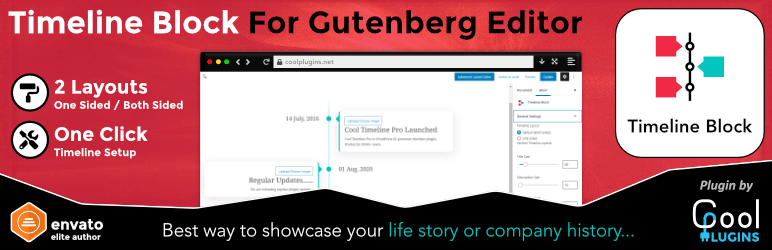
Responsive vertical timeline block for Gutenberg editor by Cool Timeline plugin developers.
Timeline Block for Gutenberg/Block Editor
Timeline Block is a responsive WordPress block plugin for the Gutenberg block editor that allows you to create a beautiful vertical history timeline with one click. Just search ‘Timeline Block‘ from the block editor ‘Add Block‘ section and create a beautiful story timeline immediately.
???? Live Preview
It is essential to let your audience know about the history of your brand especially when you are promoting it through a website. Our plugin will help you highlight events and stories precise way.
You can show history/future stories, events, appointments, and many other cool things using the Timeline Block plugin. Here are all areas where you can use this plugin:-
- Represent your company story.
- Showcase tutorial/process steps in timeline format.
- Create a program timeline.
- Timeline is the best way to represent history.
- Create events/appointments timeline.
- Job stories/achievements timeline.
- Personal story timeline.
- Product roadmap.
Check our other Timeline plugins
???? Who’s Behind
This timeline block plugin is created by ???? Cool Timeline plugin developers. Cool Plugins is the company behind this block plugin development.
Also, we created an Elementor Timeline widget addon for Elementor lovers, you can check it here:- ???? Timeline Widget For Elementor
We have tried our best to create an awesome timeline plugin but still, if you face any installation, coding, or design error, you can contact us anytime. Also, remember to try our Cool Timeline Pro version for extra cool features and design options.
CREDITS
- React FontIconPicker, Copyright (c) 2018 Swashata Ghosh, MIT license.
- Font Awesome Free, Icons: CC BY 4.0, Fonts: SIL OFL 1.1, Code: MIT License.
- swiperjs, Copyright 2021 nolimits4web, MIT license.
- Animate. CSS, Copyright 2018 Daniel Eden, MIT license.
Want To Contribute To The Plugin?
You may now contribute to the plugin on GitHub:
Timeline Block For Gutenberg
Many thanks to @drzraf for their remarkable contributions.
Screenshots

Gutenberg Timeline Block Preview

Gutenberg Timeline Edit Story settings
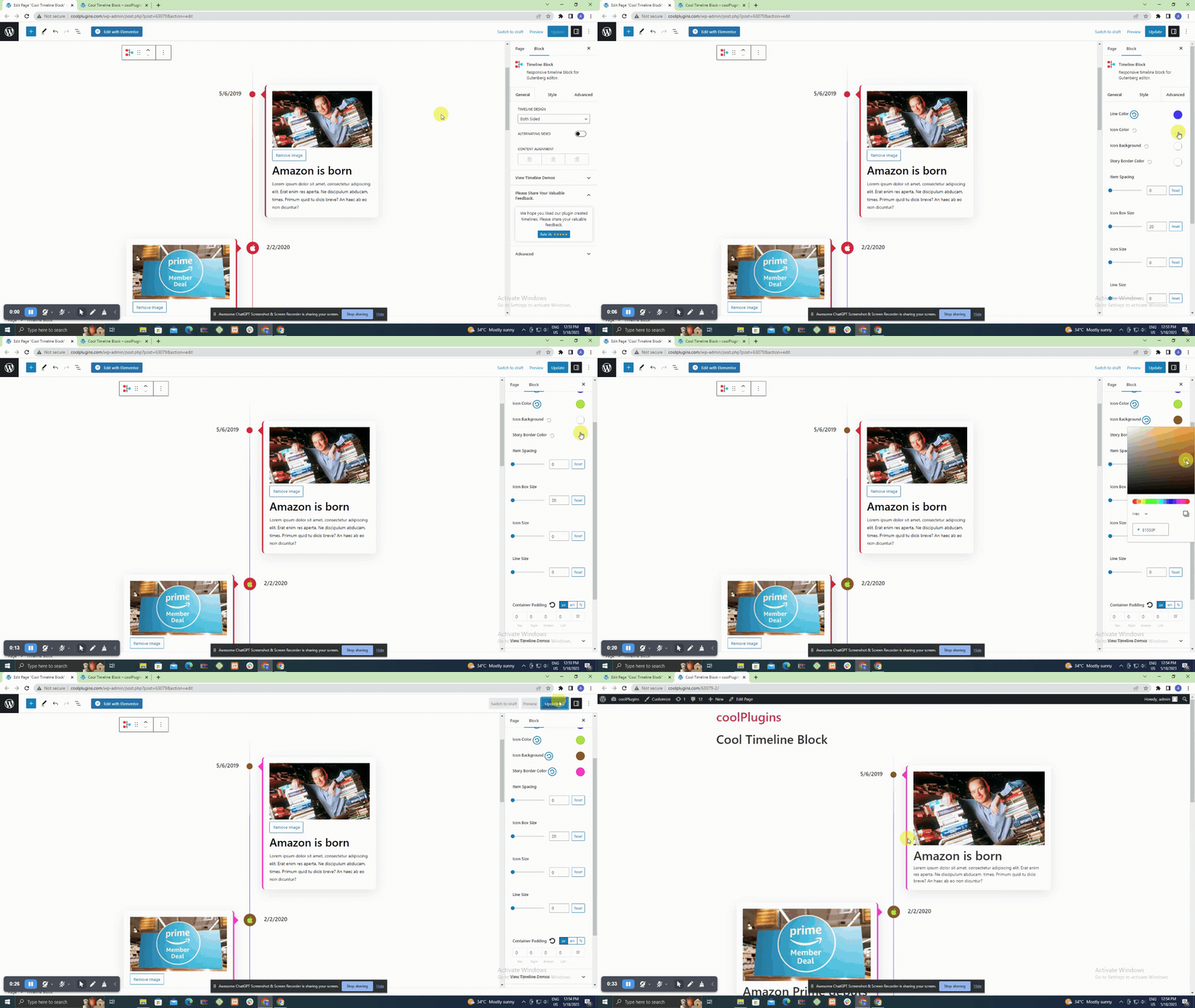
Gutenberg Timeline Block Settings
We’re committed to delivering a seamless and enhanced experience with every update.
Upgrade to Version 1.6 to enjoy these new features, enhancements, and bug fixes.
Your feedback is invaluable as we continue to refine and improve our plugins.
Version 1.6 | 11 Dec 2023
New Features:
- – Added WordPress default Image, Heading and Paragraph core blocks for more features.
- – Added migration option in instant timeline builder to migrate into Timeline Block.
- – Added migration option in Timeline Block to migrate into Cool Timeline Block.
Improved:
- – Cool Timeline Block static CSS replaced with variable based CSS.
Removed:
- – Remove Heading, Image and Paragraph setttings from Cool Timeline Block.
Version 1.5.2 | 17 Oct 2023
Bug Fixes:
- – Fixed Minor security update.
Version 1.5 | 24 Aug 2023
New Features:
- – Introducing the “Add New Story” button within the Story toolbar, allowing you to seamlessly add new stories at any position you prefer.
Enhancements:
- – Conveniently access the settings panel with the newly added Timeline Settings button, now available within each nested block.
Bug Fixes:
- – Resolved conditional loading of styles and assets, ensuring optimal performance and loading only when necessary.
- – Eliminated duplicate loading of the style.css file for a cleaner and more efficient codebase.
- – Rectified the Font Family issue, ensuring consistent and accurate rendering of fonts throughout the application.
Compatibility:
- – Successfully tested with WordPress 6.3 to ensure a smooth user experience.
Version 1.4 | 05 Apr 2023
- Fixed: Icon && center line position issue
- Integrated: New settings for Heading Tag
- Integrated: New Font Icon library. Special Thanks to @drzraf
for contributions.
- Removed: Font icon library
- Fixed: ALT Tag issue in image
- Tested: Tested Upto WordPress 6.2
Version 1.3.3 | 23 Jan 2023
- Fixed: styles not loading on frontend issue
Version 1.3.2 | 18 Jan 2023
- Fixed: Timeline disappeared on frontend side
- Fixed: Icon position issue.
- Fixed: Minor CSS issue.
- Added: Active controller reset button when style is applied.
Version 1.3.1 | 09 Jan 2023
- Added: responsive device CSS.
- Fixed: responsive device style issue.
- Fixed: the Attempt recovery option after clicking on Reset Typography.
Version 1.3 | 03 Jan 2023
- Added: Alternating Sided in both side settings
- New: Content alignment setting
- New: Heading and description bottom spacing setting
- New: Item spacing setting
- New: Icon box size setting
- New: Icon size setting
- New: Line size setting
- New: Content box padding setting integration
- New: Share review option
- Added: Content update
- Update: Swiper file removes
- Improved: tested Upto WP.6.1
Version 1.2.2 | 04 July 2022
- Added: Added source code.
Version 1.2.1 | 09 June 2022
- Improved: tested Upto WP.6.0
Version 1.2 | 06 JAN, 2022
- Added: Integrated New Block with an advanced story ordering functionality.
- New: Added image size option, Font Awesome icons, color and typography settings for each element of Cool Timeline Gutenberg Timeline Block
- New: Added right-aligned one-sided timeline layout in Gutenberg Timeline Block
- New: Story position(left/right) option or both-sided layout of Gutenberg Timeline Block
- Updated: tested upto 5.8.2
Version 1.1 | 30 June 2021
- Added: integrated story ordering feature
- Fixed: minor bug fixes
Version 1.0 | 18 AUG, 2020

