
Intuitively, Order posts(posts, any custom post types) using a Drag and Drop Sortable JavaScript.
Select sortable items from ‘Intuitive CPO’ menu of Setting menu in WordPress.
Intuitively, order items( Posts, Pages, Custom Post Types, Custom Taxonomies, Sites ) using a drag and drop sortable JavaScript.
Use parameters( orderby = menu_order, order = ASC ) in your theme.
You can also override the auto-converted parameters( orderby and order ).
ATTENTION: Only if you use ‘get_posts()’ to re-overwrite to the default order( orderby = date, order = DESC ), You need to use own custom parameter ‘orderby = default_date’.
This Plugin published on GitHub.
Screenshots
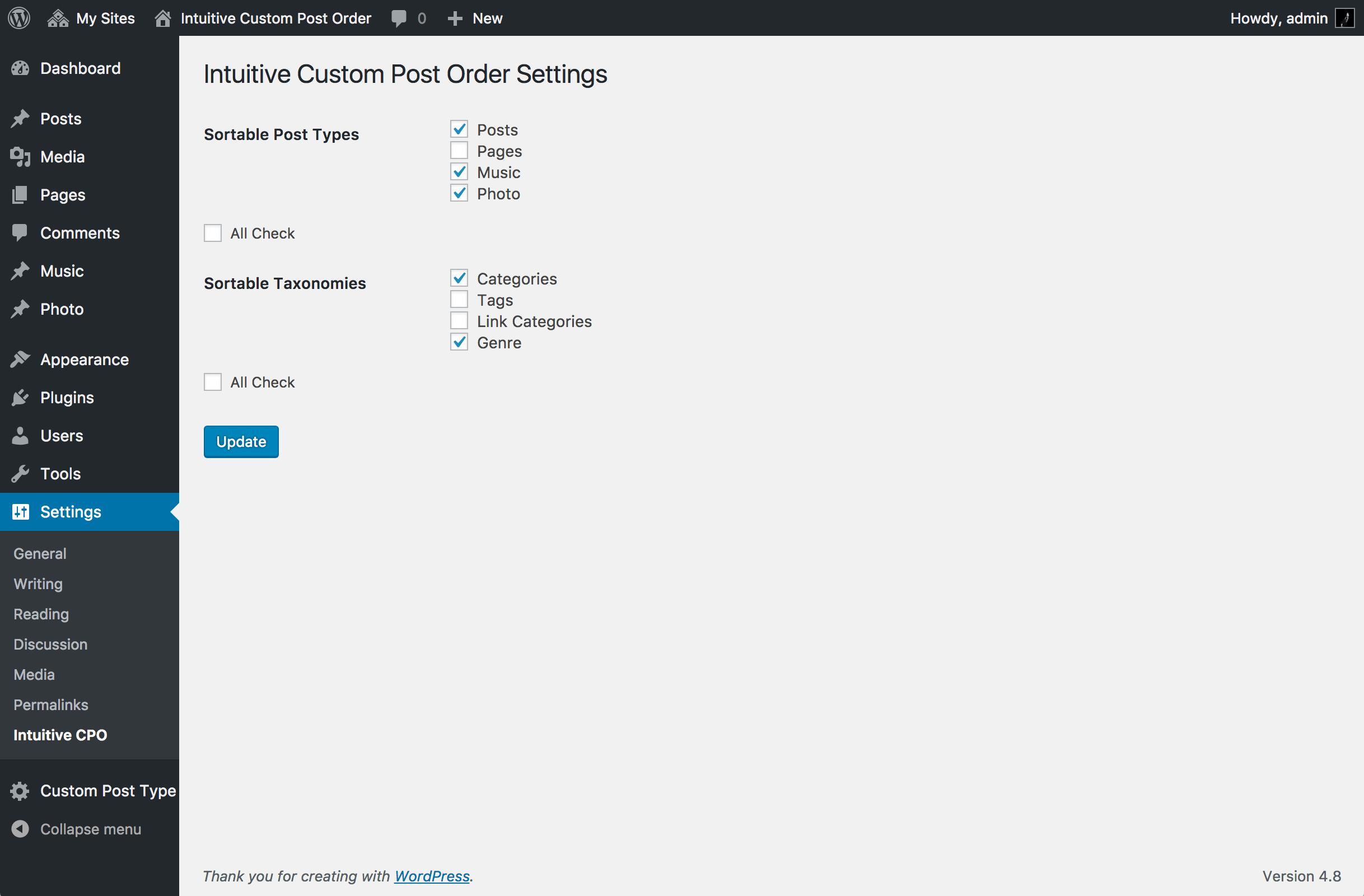
Settings

Reorder Posts
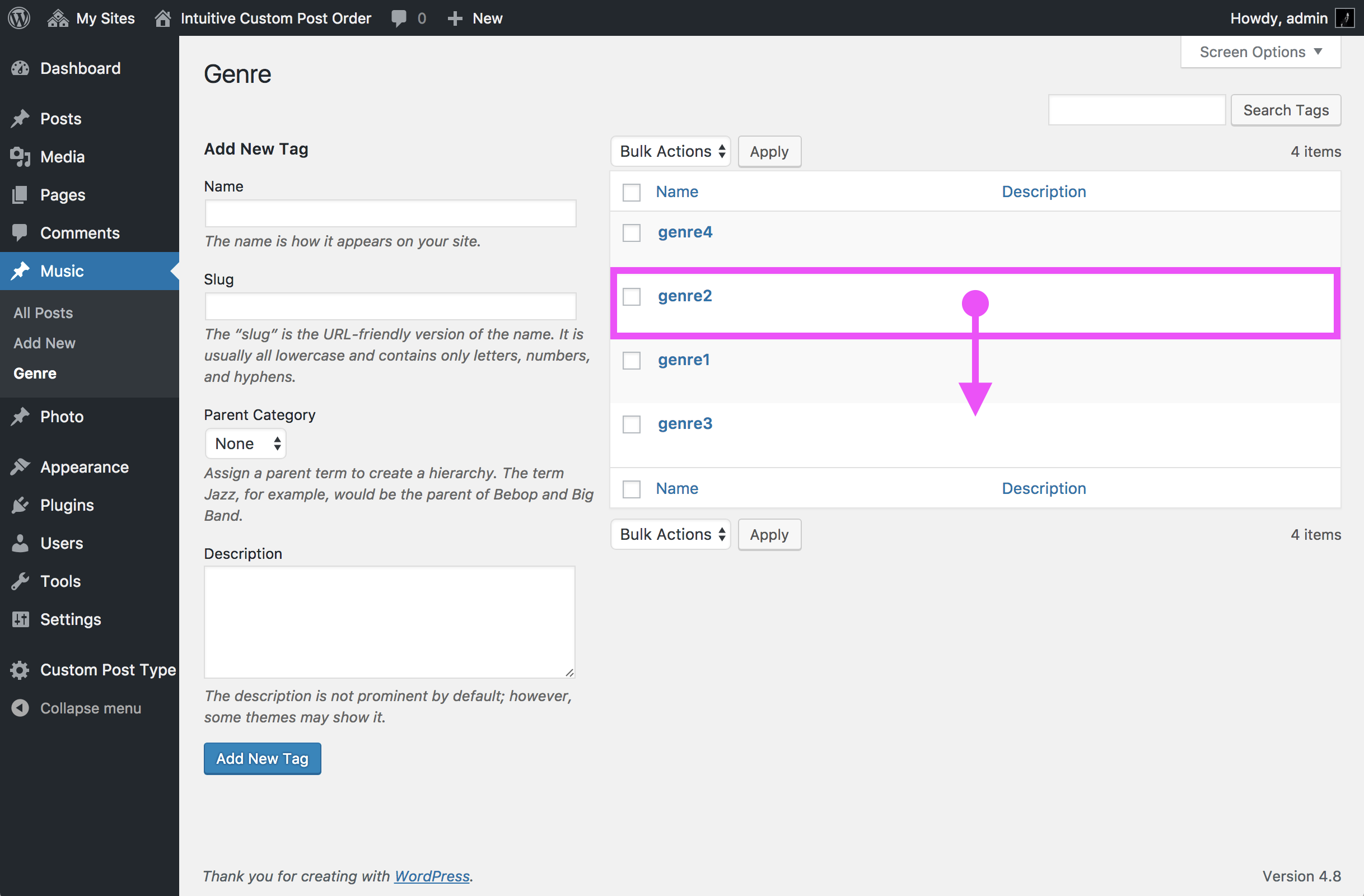
Reorder Taxonomies

( for Multisite ) Network Settings
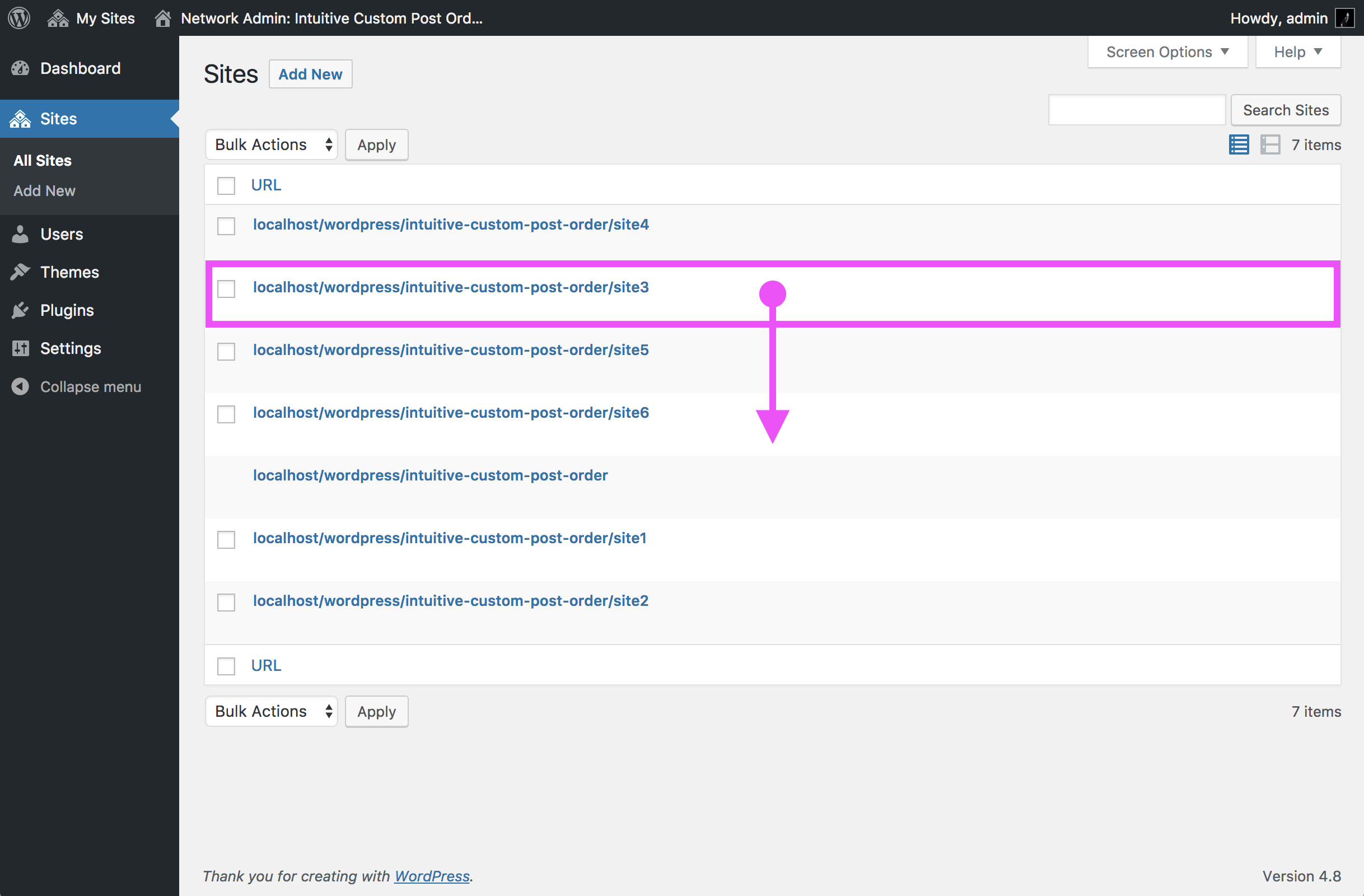
( for Multisite ) Reorder Sites
How to re-override the parameters of ‘orderby’ and ‘order’
Sub query
By using the ‘WP_Query’, you can re-override the parameters.
WP_Query
<?php $query = new WP_Query( array(
    'orderby' => 'ID',
    'order' => 'DESC',
) ) ?>
get_posts()
<?php $query = get_posts( array(
    'orderby' => 'title',
) ) ?>
ATTENTION: Only if you use ‘get_posts()’ to re-overwrite to the default order( orderby=date, order=DESC ), You need to use own custom parameter ‘orderby=default_date’.
<?php $query = get_posts( array(
    'orderby' => 'default_date',
    'order' => 'DESC',
) ) ?>
Main query
By using the ‘pre_get_posts’ action hook or ‘query_posts()’, you can re-override the parameters.
pre_get_posts
function my_filter( $query )
{
    if ( is_admin() || !$query->is_main_query() ) return;
    if ( is_home() ) {
        $query->set( 'orderby', 'date' );
        $query->set( 'order', 'DESC' );
        return;
    }
}
add_action( 'pre_get_posts', 'my_filter' );
query_posts()
<?php query_posts( array(
    'orderby' => 'rand'
) ); ?>
How to move post of second page in top of first page.
Go to “screen options” and change “Number of items per page:”.
ChangeLog
3.1.5
- Security fixes. ( @timohubois )
3.1.4.1
- fixed hicpo_add_capabilities: add capabilities only when role exists.
3.1.4
- fixed current security issues. (Thank you @timohubois)
Arbitrary Menu Order Update via CSRF.
Subscriber+ Arbitrary Menu Order Update.
3.1.3
- Added the ability to repair duplicate orders.
3.1.2.1
- Update the WordPress version this plugin was tested.
3.1.2
- Solved the problem of layout collapse during drag and drop sorting.
3.1.1
- Remove deprecated function ‘secreen_icon()’.
3.1.0
- Support the Sites.
- Improved Activation.
3.0.8
- Even for ‘get_posts()’, Your custom Query which uses the ‘order’ or ‘orderby’ parameters is preferred.
ATTENTION: Only if you use ‘get_posts()’ to re-overwrite to the default order( orderby=date, order=DESC ), You need to use own custom parameter ‘orderby=default_date’.
3.0.7
- This plugin will imported listed above into the translate.wordpress.org translation system. Language packs will also be enabled for this plugin, for any locales that are fully translated (at 100%).
3.0.6
- Support ‘next_post_link()’ and ‘previous_post_link(), etc.
- Parameters( $in_same_term, $excluded_terms, $taxonomy ) works perfectly.
3.0.5
- Fixed bug
- Initialize of menu_order of pages.( orderby=menu_order, post_title, order=asc )
3.0.4
- Your custom Query which uses the ‘order’ or ‘orderby’ parameters is preferred.
In order to prefer the parameters of your query, You must use the ‘WP_Query()’ or ‘query_posts()’.
Excluded ‘get_posts()’.
- Fixed bug
- Decision of Enabling Sortable JavaScript.
- Initialize of menu_order of pages.( orderby=post_title, order=asc )
3.0.3
- Performance improvement for Activation.
- Add Initialize of Custom Taxonomy Order.
- Fixed bug of refresh method.
- Overwirting orderby, order improved.(Thanks @newash and @anriettec)
3.0.1 & 3.0.2
3.0.0
- Support the Custom Taxonomy Order!!
( wp_list_categories, get_categories, the_terms, the_tags, get_terms, get_the_terms, get_the_term_list, the_category, wp_dropdown_categories, the_taxonomies )
- Support the sorting in admin UI.
While having sorted, Drag and Drop Sortable Javascript don’t run.
- Support non public objects( show_ui=true, show_in_menu=true )
- Add Japanese Translations.
2.1.0
- Fixed bug: Custom Query which uses ‘order’ or ‘orderby’ parameters is preferred.
- It does not depend on the designation manner of arguments( Parameters ).
( $args = ‘orderby=&order=’ or $args = array( ‘orderby’ => ”, ‘order’ => ” ) )
- The trouble which exists in 2.0.7, 2.0.8, 2.0.9 was improved!
- From 2.0.6 please update in 2.1.0.
2.0.9
- Performance improvement for Admin.
Fatal performance problem was improved dramatically.
- Fixed bug: Attachment objects are not broken.
- Fixed bug: Alert warning on the multisite was solved.
- Fixed bug: First when enabling items, ‘menu order’ of items are not broken.
- Custom Query which uses ‘order’ or ‘orderby’ parameters is preferred.
2.0.8
- Performance improvement for Admin.
Refresh method( re-constructing all menu order) run on only active object’s List page.
2.0.7
- Fixed bug: for WordPress 3.8
- Add Swedish Translations.(by Thomas)
2.0.6
2.0.5
- Support ‘next_post_link()’ and ‘previous_post_link()'(single to single).
2.0.4
2.0.3
- Intuitive CPO Settings Page was moved to Settings menu.
2.0.2
2.0.0
- Select Sortable Objects. (Posts, Pages, and Custom Post Types)
- Support Pages and hierarchical Custom Post Types.
- Sortable Item’s status is not only ‘publish’ but also other all status(‘pending’, ‘draft’, ‘private’, ‘future’).
- In Paging, it’s all activated normaly. So, ‘screen-per-page’ is User like.
- In Lists which sorted any category(Category, Tag, Taxonomy), it’s all activated normaly.
- Support Child posts and Child pages. When you sort any item, Relation of parent item between it’s child items is maintained.
1.2.1
1.2.0
- Sortable UI that Visually cleared. (Change cursor, and so on.)
- Sortable items can be dragged only vertically.
- Quick Edit Menu was enabled.
- It is not collapse of the cell widths any more whenever dragging any items.
1.1.1
1.1.0
- screen-per-page is configurated to ‘999’ automatically to prevent the trouble due to not setting it.
- Excluding custom query which uses ‘order’ or ‘orderby’ parameters, in ‘get_posts’ or ‘query_posts’ and so on.
1.0.0
Initial Release

